Video conferencing has become an essential part of modern communication, especially with the rise of remote work, online education, and virtual collaboration. From business meetings and job interviews to online classes and team discussions, video calls are now a daily routine for many people. However, poor audio quality, technical issues, lack of preparation, and unprofessional behavior can quickly turn a simple video meeting into a frustrating experience.
This is where learning the right video conference tips makes a real difference. By understanding proper setup, communication techniques, and virtual meeting etiquette, you can improve your confidence and leave a strong professional impression. Whether you are working from home, managing a remote team, or attending online meetings regularly, following best practices can help you stay focused, engaged, and productive. In this guide, you will learn practical and easy-to-follow video conferencing tips that will help you run smoother meetings, communicate more effectively, and avoid common mistakes during online calls.
Understanding Video Conferencing and Its Importance
Video conferencing is a technology that allows people to communicate face-to-face through the internet using video and audio. It has transformed the way individuals, businesses, and educational institutions connect, removing geographical barriers and saving both time and cost. Today, video conferencing is widely used for remote work, online meetings, virtual interviews, webinars, and online learning.
One of the main reasons video conferencing is important is its ability to improve collaboration. Seeing facial expressions, body language, and visual cues helps participants communicate more clearly than audio-only calls. This leads to better understanding, fewer misunderstandings, and stronger professional relationships. Video meetings also increase productivity by enabling faster decision-making and real-time discussions.
Additionally, effective video conferencing supports flexible work environments and global teamwork. Companies can hire talent from anywhere, teams can collaborate across time zones, and organizations can reduce travel expenses. However, to fully benefit from virtual meetings, it is essential to follow proper video conference tips and best practices. When used correctly, video conferencing becomes a powerful tool for communication, efficiency, and professional growth.
Essential Tools and Software for Video Conferencing
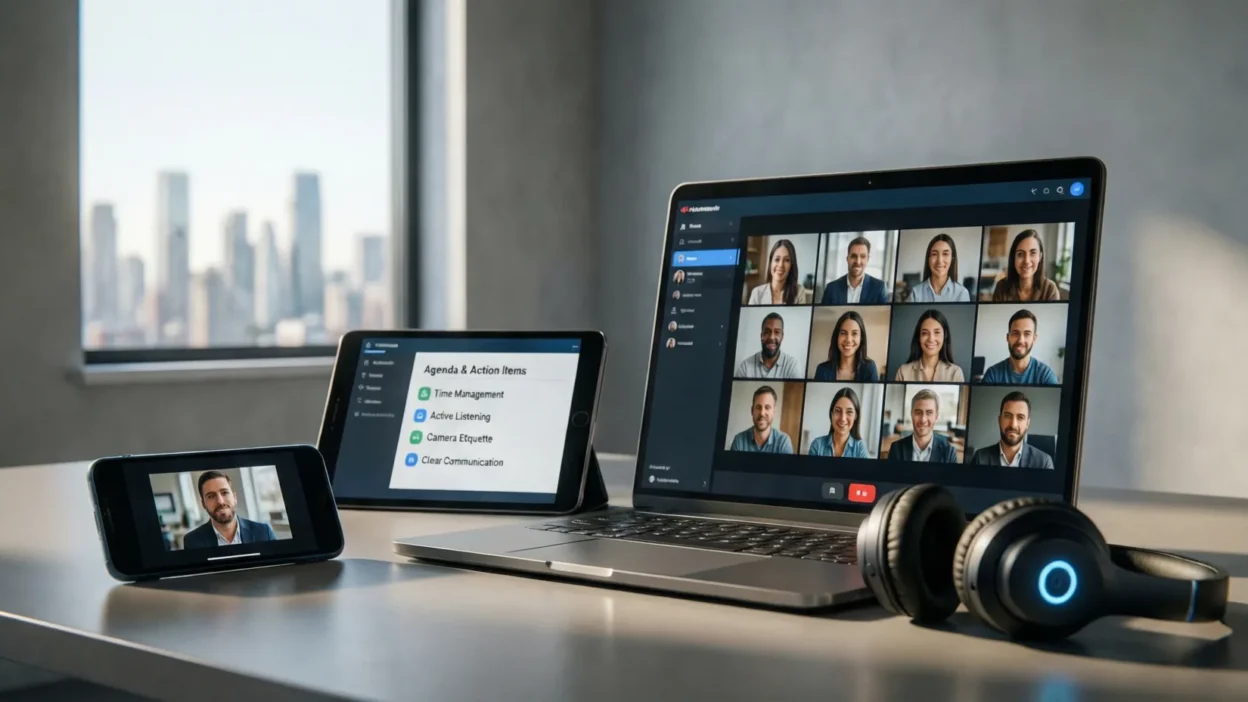
Choosing the right tools and software is a crucial part of successful video conferencing. A reliable video conferencing platform ensures smooth communication, better collaboration, and fewer technical interruptions during online meetings. Popular platforms such as Zoom, Google Meet, and Microsoft Teams are widely used because they offer stable connections, screen sharing, chat options, and recording features.
When selecting video conferencing software, it is important to look for user-friendly interfaces, high-quality audio and video support, and strong security features. Features like meeting passwords, waiting rooms, and host controls help protect meetings from unauthorized access. Free versions of these tools are suitable for basic meetings, while paid plans often provide longer meeting durations, advanced controls, and better participant management.
In addition to the main platform, supporting tools can enhance your video conferencing experience. Calendar integrations help schedule meetings easily, while collaboration tools like shared documents and virtual whiteboards improve teamwork. By using the right video conferencing tools and software, you can create a more professional, organized, and productive virtual meeting environment.
Hardware Requirements for High-Quality Video Calls
Using the right hardware plays a major role in delivering a smooth and professional video conferencing experience. Poor-quality equipment can lead to unclear audio, blurry video, and constant distractions, which reduce the effectiveness of online meetings. Investing in basic but reliable hardware can significantly improve your video call quality.
A good-quality webcam is essential for clear video. While built-in laptop cameras may work for casual meetings, an external webcam often provides better resolution and sharper visuals. Audio quality is even more important than video, so using a dedicated microphone or a noise-canceling headset helps ensure your voice is clear and free from background noise.
Your computer or laptop should also be capable of handling video conferencing software without lag. Adequate processing power and updated operating systems prevent crashes and slow performance. Additional accessories such as a stable tripod, adjustable chair, and proper lighting equipment can further enhance your on-screen presence. With the right hardware setup, your video conferences will feel more professional, engaging, and distraction-free.
Internet Connection and Technical Setup Tips
A stable internet connection is the backbone of successful video conferencing. Even with high-quality hardware, a weak or unstable connection can cause lag, frozen screens, distorted audio, and dropped calls. To ensure smooth video meetings, it is important to check your internet speed before joining a conference. A reliable broadband connection with sufficient upload and download speed is essential for clear audio and video.
Whenever possible, use a wired Ethernet connection instead of Wi-Fi, as it provides more stability and reduces interruptions. If you rely on Wi-Fi, make sure you are close to the router and limit the number of devices using the network during meetings. Closing unnecessary applications and browser tabs can also improve performance and reduce bandwidth usage.
Before every meeting, test your camera, microphone, and speakers using the video conferencing platform’s built-in settings. Keep your software and operating system updated to avoid compatibility issues. By following these technical setup tips, you can minimize technical problems and enjoy more professional and stress-free video conferences.
Creating the Perfect Video Conference Environment
Your surrounding environment has a strong impact on how professional and focused you appear during a video conference. A well-prepared space helps reduce distractions and allows participants to stay engaged throughout the meeting. Choosing the right environment is just as important as having good hardware and internet connectivity.
Start by selecting a quiet, distraction-free room where background noise is minimal. Inform others in your household about the meeting to avoid interruptions. Lighting is another key factor in video conferencing. Natural light from the front works best, but if that’s not available, use a soft light source placed in front of you to clearly illuminate your face. Avoid strong backlighting, as it can make you appear dark or unclear on camera.
Camera positioning also matters. Place your camera at eye level and ensure your face is centered in the frame. Keep your background clean and professional, or use a subtle virtual background if needed. A well-organized video conference environment enhances your credibility and creates a more professional virtual presence.
Professional Appearance and Body Language on Video Calls
Your appearance and body language play a vital role in how others perceive you during a video conference. Even though meetings are virtual, maintaining a professional look helps build credibility and confidence. Dressing appropriately for the meeting shows respect for participants and sets the right tone, especially in business or formal settings. Solid colors work best on camera, while busy patterns can be distracting.
Body language is equally important in video conferencing. Sit upright with good posture to appear attentive and engaged. Position yourself at a comfortable distance from the camera so your upper body and face are clearly visible. Maintaining eye contact by looking at the camera, rather than the screen, helps create a sense of direct communication and trust.
Facial expressions and gestures also contribute to effective communication. Smiling naturally, nodding to show understanding, and using hand gestures in moderation can make your interaction more engaging. Avoid slouching, excessive movement, or looking away frequently. Strong body language combined with a professional appearance helps you communicate more clearly and leaves a positive impression in virtual meetings.
Pre-Meeting Preparation Tips
Proper preparation before a video conference can significantly improve the quality and effectiveness of your meeting. Being well-prepared helps you feel more confident, reduces stress, and ensures that the meeting runs smoothly from start to finish. Taking a few minutes to prepare can prevent many common issues during online meetings.
Start by reviewing the meeting agenda and understanding the purpose of the call. Prepare any notes, documents, or presentations you may need and keep them easily accessible. If you plan to share your screen, organize your files in advance and close unnecessary tabs or applications to avoid distractions. Joining the meeting a few minutes early allows you to check your audio, video, and internet connection.
Set reminders so you don’t miss important meetings, and ensure your device is fully charged or plugged in. Silence notifications from other apps to maintain focus. By following these pre-meeting preparation tips, you can participate more effectively, communicate clearly, and make a strong professional impression during video conferences.
Video Conference Etiquette and Best Practices
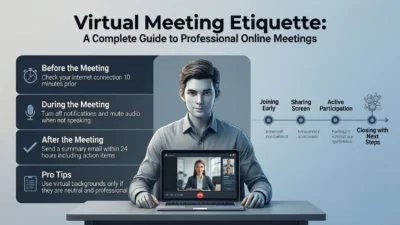
Following proper video conference etiquette is essential for maintaining professionalism and ensuring smooth communication during online meetings. Good virtual meeting manners help create a respectful environment where everyone can participate effectively without unnecessary distractions or interruptions.
One of the most important etiquette rules is to mute your microphone when you are not speaking. This prevents background noise from disrupting the meeting. Speak clearly and wait for others to finish before sharing your thoughts to avoid talking over participants. Using the “raise hand” or chat feature can help manage group discussions, especially in larger meetings.
Being punctual is another key aspect of video conferencing best practices. Join meetings on time and stay attentive throughout the call. Avoid multitasking, such as checking emails or using your phone, as it can appear unprofessional. Keep your camera on when possible to show engagement and build better connections. By practicing proper video conference etiquette, you contribute to more organized, productive, and respectful virtual meetings.
Communication Tips for Clear and Confident Virtual Meetings
Clear and effective communication is the foundation of successful video conferencing. Since virtual meetings limit physical interaction, it is important to communicate in a way that is both confident and easy to understand. Strong communication skills help reduce misunderstandings and keep meetings productive.
Begin by speaking clearly at a moderate pace and using simple language. Avoid talking too fast, as internet delays can cause parts of your message to be missed. Pause briefly after speaking to allow others time to respond. Active listening is equally important—pay close attention to what others are saying and acknowledge their points with verbal responses or nods.
Make effective use of video conferencing features such as chat, reactions, and screen sharing to support your message without interrupting the speaker. Keep your points concise and stay on topic to respect everyone’s time. Maintaining a calm tone, positive facial expressions, and steady eye contact with the camera builds confidence and trust. These communication tips will help you deliver your message clearly and create more engaging and successful virtual meetings.