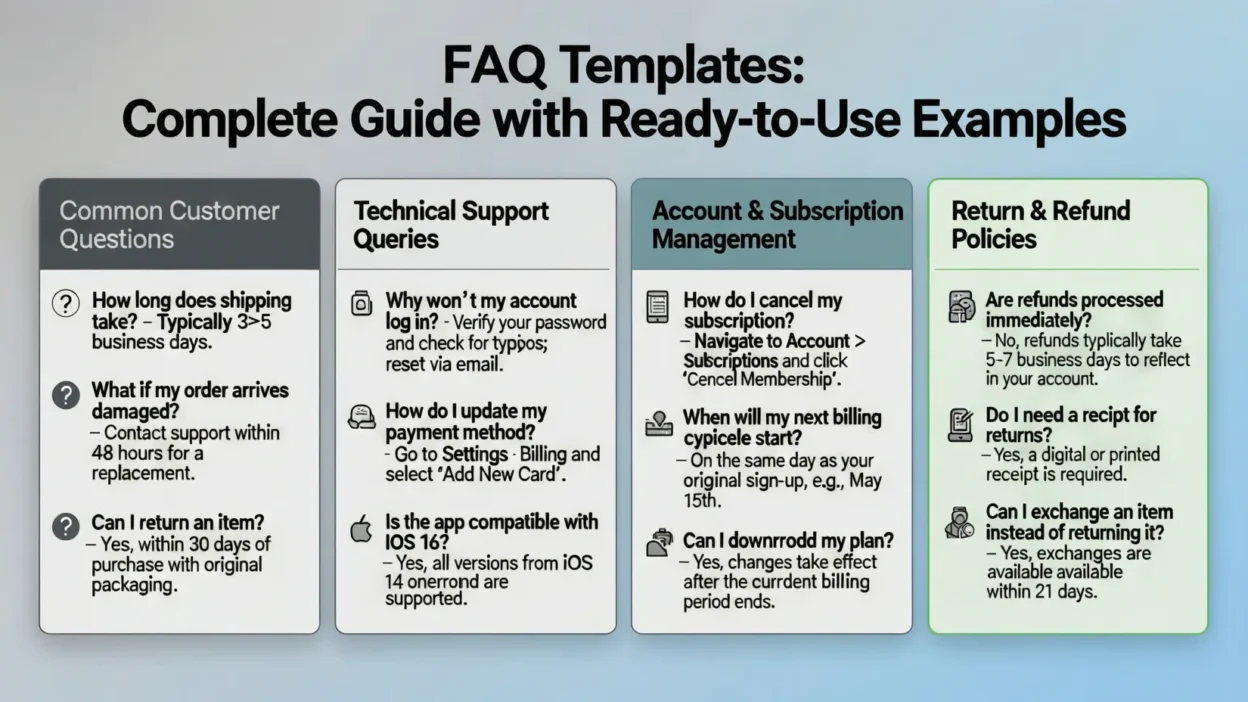
FAQ templates play a crucial role in improving website usability, customer satisfaction, and overall communication. Whether you run a business website, an eCommerce store, a SaaS platform, or a service-based site, a well-structured FAQ section helps users find quick answers to common questions without frustration. Instead of writing FAQs from scratch, using professionally designed FAQ templates saves time, ensures consistency, and improves clarity.
In this complete guide, you’ll learn everything you need to know about FAQ templates—from understanding what they are to using them effectively for different industries and purposes. You’ll discover why FAQ pages matter for SEO, how they reduce customer support inquiries, and how they build trust with your audience. Most importantly, this article provides ready-to-use, copy-paste FAQ templates that you can easily customize for your website or business needs.
What Is an FAQ Template?
An FAQ template is a pre-designed structure used to organize and present frequently asked questions and answers in a clear, consistent, and user-friendly format. Instead of creating an FAQ section from scratch, a template provides a ready-made framework that you can quickly customize for your website, product, or service.
Typically, an FAQ template includes clearly written questions, concise answers, logical groupings, and clean formatting that makes information easy to scan. These templates are designed to address common customer concerns such as pricing, features, policies, usage, or support—helping users find answers without needing to contact customer service.
FAQ templates are widely used across websites, eCommerce stores, SaaS platforms, blogs, and business pages because they save time, improve clarity, and enhance user experience. When created correctly, an FAQ template also supports SEO by naturally including relevant keywords and answering search queries directly. In short, an FAQ template helps you deliver helpful information faster while maintaining a professional and organized website structure.
Why FAQ Templates Are Important for Websites
FAQ templates are important because they help websites deliver quick, clear, and reliable answers to common user questions. When visitors can easily find information, they are more likely to stay longer, trust your brand, and take action—whether that’s making a purchase, signing up, or contacting you.
One of the biggest benefits of using FAQ templates is improved user experience. Instead of forcing users to search through pages or contact support, FAQs provide instant solutions in one organized place. This reduces frustration and keeps visitors engaged.
FAQ templates also help reduce customer support workload by answering repetitive questions upfront. Businesses save time and resources while customers get faster responses. Additionally, a well-structured FAQ page builds credibility and trust, showing that you understand customer concerns and are transparent about your offerings.
Types of FAQ Templates by Use Case
FAQ templates can be customized for different purposes depending on the type of website or business you run. Using the right FAQ template ensures your answers are relevant, clear, and helpful for your specific audience.
A website FAQ template is designed to answer general questions about your company, policies, contact details, and basic services. It’s ideal for homepages, about pages, and support sections. A product FAQ template focuses on product features, usage instructions, pricing, shipping, and warranties, helping customers make informed buying decisions.
For service-based businesses, a service FAQ template addresses common concerns such as timelines, processes, pricing models, and customer expectations. An eCommerce FAQ template typically includes questions about orders, payments, returns, delivery, and refunds to reduce purchase hesitation.
SaaS and software businesses benefit from a SaaS FAQ template that explains onboarding, subscriptions, integrations, security, and troubleshooting. Choosing the right FAQ template by use case ensures better user experience, fewer support requests, and higher customer confidence.
Essential Elements of an Effective FAQ Template
An effective FAQ template is built around clarity, simplicity, and usability. The first essential element is clear and specific questions. Each question should reflect what users actually ask, written in natural and conversational language. Vague or overly broad questions can confuse visitors and reduce the usefulness of your FAQ section.
The second key element is concise yet complete answers. Answers should be short enough to read quickly but detailed enough to fully resolve the question. Avoid unnecessary jargon and keep the tone simple and friendly. Breaking long answers into bullet points can improve readability.
Logical organization and grouping are also critical. Related questions should be grouped under clear headings so users can easily scan and find what they need. Additionally, a clean and scannable layout—using spacing, headings, and formatting—makes the FAQ template more user-friendly, especially on mobile devices.
Finally, an effective FAQ template should be easy to update. As customer questions evolve, your FAQ section should be flexible enough to add, remove, or edit content without disrupting the overall structure.
How to Write FAQs That Actually Help Users
Writing FAQs that truly help users starts with understanding their real questions. The most effective FAQs are based on actual customer inquiries, such as emails, support tickets, live chat conversations, and search queries. This ensures your answers are relevant and genuinely useful.
Use simple, conversational language when writing FAQ questions and answers. Avoid technical jargon unless your audience expects it, and explain any complex terms clearly. Each answer should focus on solving one problem at a time, making it easy for users to understand without feeling overwhelmed.
Keep answers short, direct, and actionable. If a topic requires a longer explanation, provide a brief summary and guide users to a detailed page using internal links. Formatting also matters—using bullet points, short paragraphs, and bold text helps users scan content quickly.
Lastly, maintain a helpful and neutral tone. FAQs are not sales pitches; they are support tools. When written correctly, FAQs build trust, reduce confusion, and improve the overall user experience.
SEO-Friendly FAQ Template Structure
An SEO-friendly FAQ template is designed to help both users and search engines understand your content clearly. Start by writing questions that naturally include relevant keywords people are searching for. These question-based keywords increase the chances of your FAQ appearing in featured snippets and “People Also Ask” sections.
Use proper heading hierarchy to structure your FAQ page. Main sections should use H2 headings, while individual questions can be formatted using H3 or bold text. This makes your content easier to crawl and improves readability. Keep answers concise and focused, ideally between 40–70 words, which search engines prefer for direct answers.
Internal linking is another important element. Link FAQ answers to relevant blog posts, product pages, or support articles to improve site navigation and SEO value. Additionally, ensure your FAQ template is mobile-friendly, as most searches happen on mobile devices.
FAQ Templates for Different Industries
Different industries have different customer concerns, which is why industry-specific FAQ templates are essential. A business or corporate FAQ template typically covers company information, services, pricing models, partnerships, and support policies. These FAQs help establish professionalism and trust with potential clients.
A healthcare FAQ template focuses on appointment scheduling, treatment procedures, insurance, privacy, and patient safety. Clear and reassuring answers are crucial in this industry to reduce anxiety and confusion. An education FAQ template addresses admissions, courses, fees, schedules, and certification details for students and parents.
For the property market, a real estate FAQ template answers questions about buying, selling, leasing, documentation, and timelines. Meanwhile, a technology or IT FAQ template often includes questions about software usage, troubleshooting, security, updates, and integrations.
Using industry-specific FAQ templates ensures your content speaks directly to your audience’s needs, improves clarity, and reduces repetitive customer inquiries.
Copy-Paste FAQ Templates (Ready-to-Use Examples)
Below are simple, ready-to-use FAQ templates that you can copy and customize for your website or business. These templates are designed to be clear, professional, and user-friendly.
General Website FAQ Template
- What does your company do?
We provide products and services designed to help customers solve specific problems efficiently and reliably. - How can I contact you?
You can reach us through our contact form, email, or customer support phone number listed on our website. - Where are you located?
Our company operates online and serves customers in multiple regions.
Product FAQ Template
- How does this product work?
Our product is designed to be easy to use, with clear instructions and features that meet customer needs. - Is there a warranty or guarantee?
Yes, we offer a warranty/guarantee as outlined on our product page. - Do you offer refunds?
Refunds are available according to our return and refund policy.
Service-Based Business FAQ Template
- What services do you offer?
We offer a range of services tailored to meet different customer requirements. - How long does the service take?
Timelines depend on the scope and complexity of the service. - How do I get started?
Simply contact us or book a consultation through our website.
These FAQ templates can be expanded or customized based on your business needs and audience expectations.
Best Practices for Formatting FAQ Pages
Proper formatting plays a major role in how effective your FAQ page is. A well-formatted FAQ template makes information easy to scan, read, and understand—especially for users who are looking for quick answers.
One best practice is choosing the right layout. Accordion-style FAQs work well when you have many questions, as they keep the page clean and organized. Static FAQ layouts are better when you want all answers visible at once for easier scanning. Both formats can be effective when used correctly.
Use short paragraphs, bullet points, and clear spacing to improve readability. Avoid large blocks of text, as they can overwhelm users. Ensure your FAQ page is mobile-friendly, with readable font sizes and clickable elements that work smoothly on smaller screens.
Accessibility is another important factor. Use clear headings, simple language, and proper contrast so all users can easily access your content. When formatted properly, FAQ pages improve usability, engagement, and overall website performance.
Common FAQ Template Mistakes to Avoid
While FAQ templates are highly effective, common mistakes can reduce their impact. One major mistake is turning FAQs into sales-driven content. FAQs should focus on helping users, not aggressively promoting products or services. Overly promotional answers can frustrate visitors and damage trust.
Another frequent issue is using vague or generic questions and answers. If your FAQs don’t clearly address real user concerns, they won’t provide value. Always base your questions on actual customer queries and provide specific, helpful responses.
Poor organization is also a problem. Mixing unrelated questions or failing to group them properly makes FAQs hard to navigate. Additionally, many websites forget to update their FAQ templates, leaving outdated information that can confuse users and create support issues.
Avoid using long, complex answers filled with jargon. Clear, accurate, and up-to-date FAQs are far more effective at improving user experience and reducing customer support requests.
How Many FAQs Should You Include on a Page?
There is no fixed number of FAQs that works for every website, but balance is key. In most cases, 5 to 10 FAQs per page is ideal for maintaining clarity while still covering the most important user questions. This keeps the page informative without overwhelming visitors.
If your business or website receives many recurring questions, it’s better to group FAQs into categories or create separate FAQ pages for different topics, such as products, services, billing, or support. This improves navigation and makes information easier to find.
From an SEO perspective, including too many FAQs on a single page can dilute keyword focus. Concentrating related questions on one topic helps search engines better understand the page’s purpose. User experience should always come first—if FAQs feel cluttered or repetitive, it’s time to trim or reorganize them.
Well-structured FAQ templates strike the right balance between helpfulness, readability, and SEO effectiveness.
How to Update and Maintain FAQ Templates
Updating and maintaining your FAQ templates is essential to keep your content accurate and useful. Customer questions evolve over time, so your FAQs should reflect the most current information about your products, services, and policies. Regular updates help prevent confusion and reduce unnecessary support requests.
Start by reviewing your FAQ templates periodically—monthly or quarterly works well for most websites. Use customer emails, support tickets, live chat logs, and search queries to identify new or recurring questions. Outdated or irrelevant FAQs should be revised or removed to maintain clarity and trust.
Pay attention to user behavior by tracking which FAQ questions are clicked most often and which ones are ignored. This insight helps you improve formatting, wording, or placement. Keeping your FAQ templates organized, accurate, and user-focused ensures they continue to support both user experience and SEO goals.
Conclusion
FAQ templates are a powerful tool for creating clear, organized, and user-friendly support content. They save time, improve website usability, reduce customer support workload, and help build trust with your audience. When structured correctly, FAQ templates also support SEO by targeting question-based searches and improving search visibility.
By using the right FAQ template for your industry and purpose, following best practices, and keeping your content updated, you can create an FAQ section that truly adds value. Customize the templates provided in this guide to match your brand voice and audience needs, and you’ll have an effective FAQ page that works for both users and search engines.