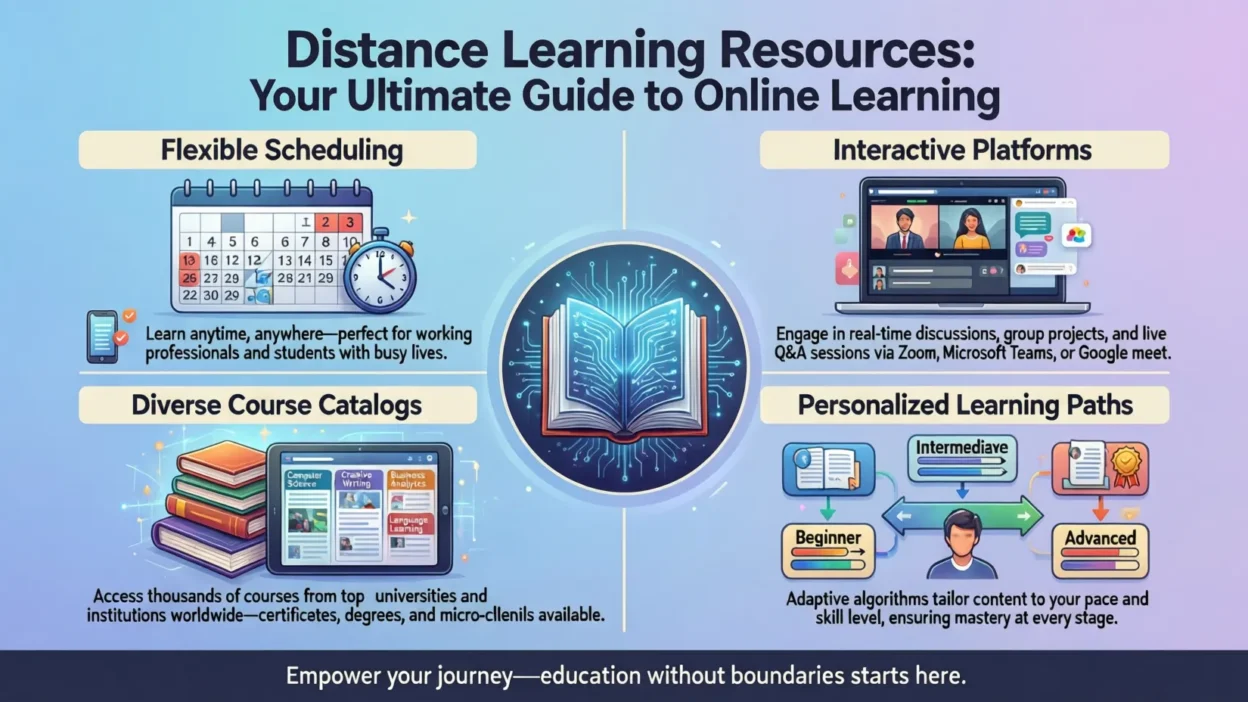
In today’s fast-paced world, distance learning has become more than just an alternative—it’s a vital way to gain knowledge, develop skills, and stay competitive. Whether you’re a student, educator, parent, or lifelong learner, having access to the right distance learning resources can make the difference between a frustrating online experience and a highly productive one. From interactive platforms and study apps to virtual classrooms and multimedia content, the options are vast—but navigating them can be overwhelming.
This guide is designed to help you cut through the noise. We’ll explore the best online learning tools, highlight free and paid resources, and provide actionable tips for maximizing your virtual education. By the end, you’ll have a clear roadmap to choose the tools that fit your needs, boost engagement, and make learning from home—or anywhere—both effective and enjoyable.
Understanding Distance Learning Resources
Distance learning resources are the tools, platforms, and materials that enable learning outside a traditional classroom. They can range from online courses and apps to interactive multimedia and virtual classroom software. The right resources not only make learning accessible but also engaging, efficient, and personalized to individual needs.
Types of Distance Learning Resources
- Digital Learning Platforms – Websites like Coursera, edX, and Udemy offer structured courses across a variety of subjects, often including certificates upon completion.
- Educational Apps & Tools – Apps such as Quizlet, Anki, and Khan Academy provide interactive exercises, flashcards, and adaptive learning experiences for students.
- Multimedia Content – Videos, podcasts, webinars, and e-books can supplement traditional learning and cater to different learning styles.
- Virtual Classrooms – Tools like Zoom, Google Meet, and Microsoft Teams allow real-time interaction between educators and students, simulating a classroom experience online.
Why They Matter
Distance learning resources make education flexible, accessible, and scalable. Students can learn at their own pace, teachers can reach broader audiences, and lifelong learners can explore new skills anytime, anywhere. Selecting the right mix of tools ensures effective learning, reduces frustration, and improves retention.
By understanding the different types of resources available, you’ll be better equipped to choose platforms and tools that suit your learning style, goals, and schedule, laying the foundation for a successful online learning experience.
Best Platforms for Distance Learning
Choosing the right platform is key to a successful online learning experience. With countless options available, it can be overwhelming to know where to start. The best platforms combine quality content, interactivity, and accessibility, catering to both beginners and advanced learners.
Top Distance Learning Platforms
- Coursera
Coursera offers thousands of courses from top universities and companies. Many courses are free to audit, with paid options for certificates. It’s ideal for students and professionals looking to gain new skills or formal recognition. - edX
Known for its university-level courses, edX provides high-quality learning experiences from institutions like Harvard and MIT. Courses range from humanities to STEM subjects, making it suitable for learners seeking rigorous academic content. - Udemy
Udemy focuses on practical, skill-based learning. With affordable courses in areas like programming, design, and business, it’s perfect for learners aiming to enhance career skills. - Khan Academy
Khan Academy is a free resource primarily for K–12 students. It offers lessons in math, science, and more, with interactive exercises and progress tracking. - LinkedIn Learning
LinkedIn Learning is tailored for professionals. It offers courses in business, technology, and creative fields, allowing learners to improve skills and showcase achievements on their LinkedIn profiles.
Choosing the Right Platform
When selecting a platform, consider:
- Your goals: Are you learning for school, career, or personal growth?
- Budget: Free vs. paid options
- Learning style: Video lectures, interactive exercises, or self-paced reading
Free vs Paid Distance Learning Resources
When exploring distance learning, one of the first questions many learners ask is whether to use free or paid resources. Both options have unique benefits and drawbacks, and understanding these can help you make informed decisions that maximize learning outcomes.
Free Distance Learning Resources
Free resources are excellent for learners on a budget or those just starting. They provide access to knowledge without financial commitment.
Examples include:
- Khan Academy: Offers a wide range of K–12 courses and interactive exercises.
- Coursera Free Courses: Audit classes for free from top universities.
- OpenLearn & MIT OpenCourseWare: High-quality educational materials for self-study.
Pros:
- No cost, accessible to everyone
- Flexible learning at your own pace
- Ideal for trying out new subjects before committing
Cons:
- Limited certification options
- Less personalized support
- May lack advanced content or structured learning paths
Paid Distance Learning Resources
Paid resources often provide premium content, certifications, and better support. They are ideal for learners seeking professional advancement or structured learning.
Examples include:
- Udemy Premium Courses: Affordable courses with lifetime access and certificates.
- LinkedIn Learning: Professional skill development with verified credentials.
- MasterClass: Expert-led courses in creative and professional fields.
Pros:
- Structured courses with clear learning paths
- Access to exclusive content and expert guidance
- Certificates to enhance resumes or portfolios
Cons:
- Cost may be prohibitive for some learners
- Quality varies depending on the provider
Choosing Between Free and Paid
A balanced approach works best: start with free resources to explore topics, then invest in paid courses for deeper learning or certifications. This strategy ensures both accessibility and professional growth while minimizing financial risk.
Tools for Students: Study Apps and Productivity Resources
For students, having the right tools and apps can make distance learning more effective, organized, and engaging. From note-taking to time management, the right digital resources help learners stay on track, retain information, and succeed in a virtual environment.
1. Study Apps
- Quizlet: Create flashcards, practice tests, and interactive study sets. Perfect for memorization and exam prep.
- Anki: A spaced-repetition flashcard app that helps with long-term retention of information.
- Khan Academy App: Access lessons, practice exercises, and personalized learning paths on mobile devices.
2. Productivity & Time Management Tools
- Notion: Organize notes, track assignments, and create study schedules in one platform.
- Trello: Visual task boards to manage projects and deadlines effectively.
- Todoist: Task manager to prioritize assignments and stay focused.
- Pomodoro Timers (Focus To-Do, Forest): Break study sessions into manageable intervals to improve focus and productivity.
3. Collaboration Tools
- Google Workspace (Docs, Sheets, Drive): Share notes, collaborate on group projects, and store files securely.
- Microsoft Teams: Ideal for real-time collaboration, chats, and group meetings.
Tips for Students
- Schedule study sessions and set clear goals.
- Use flashcards and quizzes to reinforce learning.
- Combine productivity apps with collaboration tools for group projects.
- Regularly track progress to stay motivated.
With the right mix of study apps, productivity tools, and collaboration platforms, students can maximize efficiency, enhance understanding, and make distance learning a smooth and rewarding experience.
Tools for Educators: Virtual Classrooms and Teaching Resources
Teaching online requires more than just knowledge—it demands the right tools and resources to engage students, manage classes, and create interactive learning experiences. Educators who leverage modern distance learning tools can enhance understanding, foster participation, and simplify course management.
1. Virtual Classroom Software
- Zoom: Popular for live lessons, breakout rooms, and interactive sessions.
- Google Meet: Easy integration with Google Workspace, ideal for video lectures and collaboration.
- Microsoft Teams: Combines video conferencing with chat, file sharing, and class management features.
2. Course Creation & Management Tools
- Moodle: Open-source platform for creating courses, tracking progress, and assigning assessments.
- Canvas: User-friendly learning management system (LMS) suitable for schools and universities.
- Edmodo: Simplifies communication with students while providing resources and assessments.
3. Interactive Learning Tools
- Kahoot!: Gamified quizzes to make lessons fun and engaging.
- Nearpod: Allows interactive presentations, polls, and assessments in real time.
- Flipgrid: Video discussion platform encouraging student participation and creativity.
Tips for Educators
- Mix synchronous (live) and asynchronous (self-paced) teaching methods for flexibility.
- Use interactive tools to boost engagement and retention.
- Track student progress using LMS dashboards to identify learning gaps.
- Encourage collaboration through group projects and discussion platforms.
By combining virtual classrooms, course management tools, and interactive resources, educators can deliver effective distance learning experiences that are engaging, organized, and impactful.
Interactive & Multimedia Learning Resources
Learning online is most effective when it’s engaging, interactive, and multimedia-rich. Distance learning resources that incorporate videos, audio, and gamified experiences help learners retain information better, cater to different learning styles, and make studying enjoyable.
1. Video Tutorials & Webinars
- YouTube EDU: Thousands of educational videos across subjects, from STEM to humanities.
- Ted-Ed: Short, animated lessons designed to spark curiosity and simplify complex topics.
- Webinars: Live or recorded sessions hosted by experts, often allowing Q&A for interaction.
2. Podcasts & Audiobooks
- Great for auditory learners or those who prefer learning on-the-go.
- Examples: Educational podcasts like The EdSurge Podcast or subject-specific series on platforms like Audible or Spotify.
3. Gamified Learning Platforms
- Platforms that make learning fun and interactive can boost motivation and engagement.
- Duolingo: Language learning through gamified exercises and rewards.
- BrainPOP: Animated lessons and quizzes for younger learners.
- Kahoot! Quizzes: Interactive game-based assessments that encourage competition and participation.
Why Multimedia Matters
- Supports different learning styles: visual, auditory, and kinesthetic.
- Increases retention and understanding by breaking up text-heavy materials.
- Encourages active learning, making the process more enjoyable and effective.
Integrating these resources into distance learning can transform traditional study routines into dynamic, engaging, and memorable experiences, helping learners of all ages succeed online.
Tips for Maximizing Distance Learning
Distance learning offers flexibility, but success depends on how you approach it. By adopting the right strategies and habits, learners can stay productive, motivated, and retain information more effectively.
1. Time Management Strategies
- Use a Schedule: Plan study sessions in advance and stick to consistent learning blocks.
- Pomodoro Technique: Break study time into focused intervals (e.g., 25 minutes) followed by short breaks to improve focus.
- Set Deadlines: Even for self-paced courses, create personal deadlines to stay on track.
2. Creating a Productive Study Environment
- Choose a quiet, well-lit space free from distractions.
- Keep all study materials organized and easily accessible.
- Minimize notifications and digital distractions during study time.
3. Self-Motivation & Accountability
- Set clear goals for each study session.
- Reward yourself after completing tasks or mastering a topic.
- Join study groups or online communities for accountability and peer support.
4. Tracking Progress
- Use apps or digital planners to track completed lessons and assignments.
- Reflect on learning regularly and adjust study methods as needed.
- Celebrate small milestones to maintain motivation and momentum.
Common Challenges & How to Overcome Them
While distance learning offers flexibility, it also comes with unique challenges. Recognizing these obstacles and using effective strategies can help learners stay motivated, productive, and successful.
1. Technical Issues
- Problem: Poor internet connectivity, outdated devices, or software glitches can disrupt learning.
- Solution: Ensure a stable internet connection, update devices regularly, and test software before class. Keep a backup device or offline resources when possible.
2. Distractions & Procrastination
- Problem: Home environments often have distractions, making it hard to focus.
- Solution: Create a dedicated study space, use focus apps like Forest or Pomodoro timers, and block distracting websites during study sessions.
3. Motivation & Isolation
- Problem: Learning alone can lead to low motivation and feelings of isolation.
- Solution: Join online communities, participate in discussion forums, and study in virtual groups. Setting goals and tracking progress also helps maintain motivation.
4. Content Overload
- Problem: The abundance of online resources can be overwhelming.
- Solution: Curate your learning materials carefully. Focus on a few quality platforms or resources at a time and use planners or apps to organize content.
5. Lack of Engagement
- Problem: Passive learning (just reading or watching) can reduce retention.
- Solution: Use interactive tools, quizzes, and multimedia resources to actively engage with the material.