

In today’s digital era, businesses and individuals are moving more of their data and applications to the cloud than ever before. While the cloud offers incredible flexibility, scalability, and convenience, it also introduces unique security challenges. Data breaches, misconfigurations, and insider threats are becoming increasingly common, making cloud security a top priority for organizations of all sizes.
Implementing effective cloud security measures isn’t just about technology—it’s about strategy, awareness, and proactive planning. From encryption and multi-factor authentication to monitoring and compliance, every layer of security matters. This comprehensive guide will walk you through the most essential cloud security tips, helping you safeguard your data, reduce risks, and ensure that your cloud environment remains safe and resilient in 2026. Whether you’re a beginner or an experienced IT professional, these tips will strengthen your cloud security posture.
Understanding Cloud Security Fundamentals 🌐
Before diving into specific cloud security tips, it’s essential to understand the foundations of cloud security. Knowing the landscape helps you implement the right strategies and avoid common mistakes that can put your data at risk.
What is Cloud Security?
Cloud security refers to the set of policies, technologies, and practices designed to protect data, applications, and services hosted in the cloud. Unlike traditional on-premises security, cloud security involves a shared responsibility model, where the cloud provider and the user each have roles in safeguarding data. For example, providers handle physical infrastructure security, while users are responsible for access controls, data encryption, and application configurations.
Key Cloud Security Threats
The cloud is not immune to cyber risks. Common threats include:
- Data breaches and leaks: Unauthorized access to sensitive information.
- Account hijacking: Attackers stealing credentials to gain cloud access.
- Insider threats: Malicious or careless employees causing damage.
- Insecure APIs: Weak interfaces that expose data to attackers.
- Misconfigured cloud storage: Open buckets or incorrect permissions exposing data publicly.
Importance of Compliance and Regulations
Cloud security isn’t just about preventing breaches—it’s also about meeting regulatory requirements. Compliance frameworks like GDPR, HIPAA, and CCPA ensure your organization handles data responsibly and legally. Adhering to these regulations not only protects your users but also strengthens your security posture and trustworthiness.
Understanding these fundamentals sets the stage for implementing strong cloud security measures.
Identity and Access Management (IAM) 🔑
A secure cloud environment starts with controlling who can access your data and resources. Identity and Access Management (IAM) ensures that only authorized users can perform specific actions, minimizing the risk of breaches and insider threats.
Strong Authentication Practices
Implementing strong authentication is the first line of defense in cloud security.
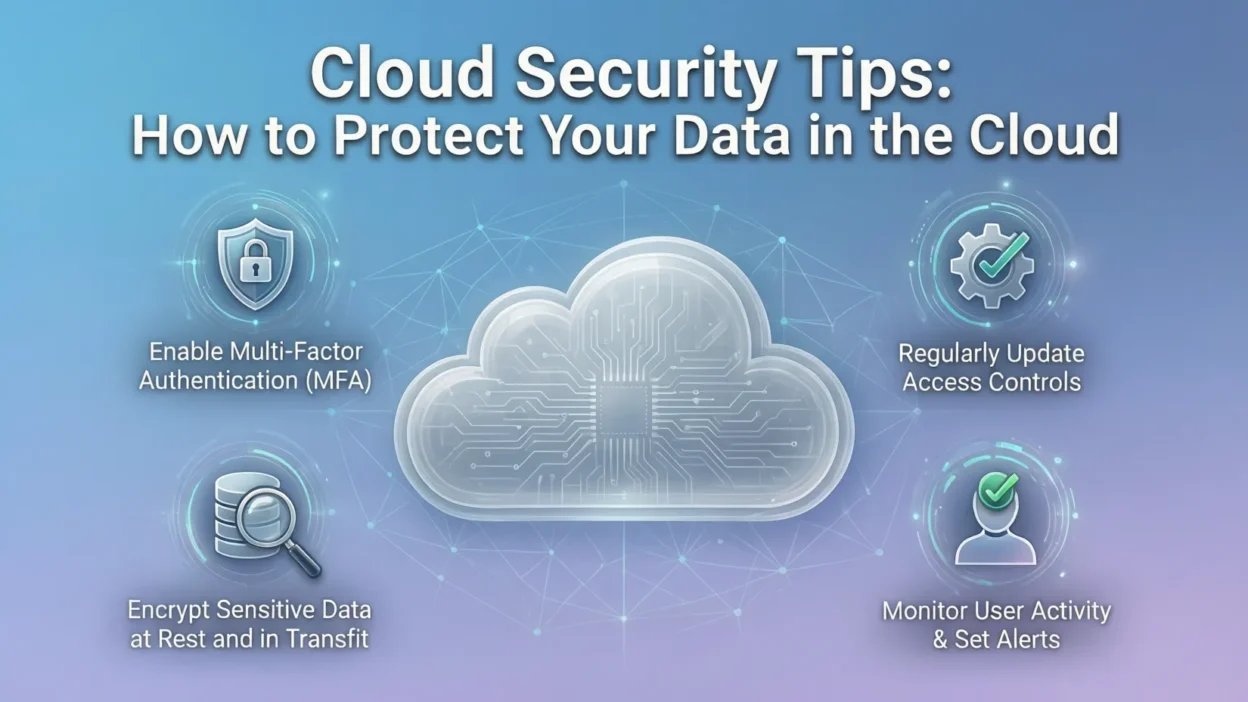
- Multi-Factor Authentication (MFA): Requires users to provide multiple forms of verification (password + SMS code or authentication app). This drastically reduces the chances of account hijacking.
- Password policies: Enforce complex passwords, regular rotation, and avoid reuse across systems.
- Temporary access and session controls: Limit session durations and revoke access when no longer needed.
Role-Based Access Control (RBAC)
RBAC ensures users only access what they need to perform their job.
- Principle of least privilege: Give users the minimum permissions necessary.
- Temporary privileges: Use just-in-time access for sensitive operations.
- Segregation of duties: Reduce risks by splitting critical tasks among multiple users.
Monitoring User Activity
Even with strong authentication, monitoring user activity is crucial.
- Audit logs: Track who accessed what, when, and from where.
- Suspicious activity alerts: Detect unusual login patterns, failed login attempts, or data downloads.
- Regular reviews: Periodically audit IAM roles and permissions to ensure outdated or unnecessary access is removed.
By implementing strong IAM practices, you significantly reduce the risk of unauthorized access and protect sensitive cloud data.
Data Protection Strategies 🛡️
Protecting your data is at the heart of cloud security. Even with strong IAM and monitoring, your sensitive information can be vulnerable if it isn’t properly encrypted, classified, and backed up. Implementing multiple layers of data protection ensures resilience against breaches, accidental deletion, or ransomware attacks.
Encryption: Securing Data in Transit and at Rest
Encryption transforms your data into unreadable code, making it useless to attackers without the correct key.
- Encryption in transit: Protects data as it moves between your devices and cloud servers. Use protocols like TLS/SSL.
- Encryption at rest: Protects stored data using standards like AES-256. Most cloud providers offer built-in encryption tools, such as AWS KMS, Azure Key Vault, or Google Cloud KMS.
- Key management best practices: Rotate encryption keys regularly and restrict access to authorized personnel only.
Data Classification
Not all data is equal—classifying your information ensures you prioritize security for sensitive data.
- Identify sensitive vs. non-sensitive data.
- Apply strict access controls and additional encryption to sensitive datasets.
- Use automated tools to tag and categorize data for easier monitoring and compliance.
Backup and Disaster Recovery
Backups protect against accidental loss, ransomware, or system failures.
- Cloud-native backup solutions: Many providers offer scheduled backups and replication across regions.
- Recovery Point Objective (RPO) & Recovery Time Objective (RTO): Define acceptable data loss and downtime in case of disaster.
- Testing DR plans: Regularly test your backup and recovery processes to ensure they work when needed.
By implementing strong encryption, classification, and backup strategies, you create a robust safety net for your cloud data, reducing the impact of potential breaches or failures.
Network and Infrastructure Security 🌐
Even if your data and identities are secure, a poorly protected network or cloud infrastructure can leave you vulnerable. Network and infrastructure security ensures that attackers cannot exploit weaknesses in your cloud environment, keeping your applications and data safe.
Firewalls and Virtual Private Networks (VPNs)
Firewalls act as the first line of defense by controlling incoming and outgoing traffic.
- Cloud firewalls: Tools like AWS Security Groups or Azure NSGs allow you to define rules for which traffic is allowed.
- VPN and private connectivity: Securely connect remote users or offices to the cloud using encrypted VPN tunnels.
Network Segmentation
Segmentation isolates sensitive workloads and prevents attackers from moving laterally if one system is compromised.
- Separate production, development, and testing environments.
- Isolate sensitive data storage from public-facing applications.
- Use micro-segmentation for finer control over access between services.
Monitoring and Threat Detection
Constant monitoring is crucial to detect suspicious activity before it becomes a breach.
- SIEM tools: Collect and analyze logs for security insights.
- Intrusion Detection and Prevention Systems (IDS/IPS): Identify potential attacks and automatically respond to threats.
- Cloud-native monitoring: Use provider tools like AWS GuardDuty, Azure Security Center, or Google Cloud Security Command Center for continuous threat monitoring.
By combining firewalls, segmentation, and proactive monitoring, you create a strong network defense that complements other security layers and reduces the attack surface of your cloud environment.
Application and API Security 🔗
Cloud applications and APIs enable your business to operate efficiently, but they also expose potential entry points for attackers. Securing these components ensures that your services remain safe, your users’ data is protected, and compliance requirements are met.
Securing Cloud Applications
- Vulnerability scanning: Regularly scan applications for known security flaws. Tools like OWASP ZAP or cloud-native scanning services help identify risks.
- Secure development lifecycle (DevSecOps): Integrate security checks into the software development process to catch vulnerabilities early.
- Patch management: Quickly apply updates to fix security issues in software dependencies or frameworks.
API Security Best Practices
APIs are the backbone of cloud services, making them attractive targets for attackers.
- Authentication: Ensure only authorized users and systems can access APIs using tokens or OAuth protocols.
- Rate limiting: Prevent abuse by restricting the number of requests per user or system.
- Input validation: Protect against injection attacks by validating all incoming data.
- Monitoring: Track API usage for anomalies, such as unusual request patterns or repeated failed access attempts.
Third-Party and Open-Source Security
Many applications rely on third-party libraries and frameworks.
- Regularly update dependencies to patch vulnerabilities.
- Evaluate third-party tools for compliance and security certifications.
- Limit unnecessary third-party integrations that could increase risk.
By securing applications and APIs, you close critical attack vectors and ensure that your cloud environment remains resilient against threats while maintaining smooth business operations.
Configuration and Patch Management ⚙️
Even the most secure cloud infrastructure can be vulnerable if configurations are incorrect or software is outdated. Proper configuration management and patching help close security gaps before attackers can exploit them.
Avoiding Misconfigurations
- Misconfigured storage buckets, databases, or network settings are a common source of data leaks.
- Best practices:
- Restrict public access to sensitive resources.
- Regularly audit cloud configurations using automated tools.
- Follow provider security benchmarks, like CIS (Center for Internet Security) guidelines.
Patch Management
- Outdated software and unpatched vulnerabilities are prime targets for attackers.
- Strategies:
- Keep operating systems, applications, and cloud services updated.
- Automate patch deployment when possible to reduce human error.
- Prioritize critical security patches for high-risk systems.
Automated Configuration Checks
- Use cloud-native tools to continuously monitor your environment for policy violations or deviations.
- Examples include AWS Config, Azure Policy, or Google Cloud Security Command Center.
- Alerts can help remediate issues before they lead to a breach.
Proper configuration and patch management reduce the attack surface and ensure that your cloud environment stays resilient against evolving threats.
Automation and Advanced Tools 🤖
Manual security processes are often slow and error-prone. Automation and advanced cloud security tools help organizations detect, respond to, and prevent threats in real time, making your cloud environment more resilient and easier to manage.
Security Orchestration, Automation, and Response (SOAR)
- SOAR platforms integrate security alerts, workflows, and response actions into a single system.
- Benefits:
- Faster response to incidents.
- Reduced manual workload for IT teams.
- Consistent and repeatable security processes.
Cloud-Native Security Tools
- Leading cloud providers offer built-in security monitoring and threat detection:
- AWS GuardDuty: Detects unusual API calls, unauthorized access, and malware.
- Azure Security Center: Provides continuous security assessments and recommendations.
- Google Cloud Security Command Center: Centralized visibility into threats and misconfigurations.
- These tools help identify risks before they escalate into breaches.
Benefits of Automation
- Real-time threat detection: Automated alerts notify you of suspicious activity immediately.
- Reduced human error: Security rules and processes are consistently applied.
- Scalability: Automation easily manages complex environments as your cloud footprint grows.
By combining automation with advanced cloud security tools, organizations can strengthen defenses, respond faster to threats, and maintain a proactive security posture.
Organizational Security Practices 📚
Cloud security isn’t just about technology—it’s also about people, processes, and culture. Strong organizational practices ensure that teams follow secure workflows, respond effectively to incidents, and reduce human-related risks.
Security Awareness Training
- Employees are often the weakest link in security.
- Train teams on:
- Phishing and social engineering attacks.
- Secure cloud usage policies.
- Recognizing suspicious activity and reporting it promptly.
- Regular refreshers and simulations help keep awareness high.
Incident Response Plan
- Even the best security measures can’t prevent every breach.
- Develop a cloud-specific incident response plan that includes:
- Step-by-step procedures for containing incidents.
- Roles and responsibilities for the response team.
- Communication plans for stakeholders and users.
- Test the plan regularly to ensure quick and effective reactions during real incidents.
Vendor and Third-Party Management
- Many organizations rely on third-party cloud services or applications.
- Best practices include:
- Evaluating security certifications and compliance of vendors.
- Reviewing service-level agreements (SLAs) for security responsibilities.
- Limiting access and permissions for third-party systems to only what’s necessary.
Strong organizational security practices create a culture of security that complements technical defenses, ensuring that your cloud environment is safe, resilient, and compliant.
Emerging Trends in Cloud Security 🔍
Cloud security is constantly evolving as attackers become more sophisticated. Staying ahead of emerging trends ensures your organization is prepared for new threats and can leverage the latest tools and strategies.
Zero Trust Architecture
- Traditional perimeter-based security is no longer enough.
- Zero Trust assumes no user or device is automatically trusted, even inside the network.
- Key principles:
- Continuous verification of user identity.
- Least-privilege access for all resources.
- Micro-segmentation of applications and data.
AI and Machine Learning in Threat Detection
- AI and ML analyze massive amounts of data to identify patterns and anomalies that humans might miss.
- Applications include:
- Detecting unusual login behaviors.
- Identifying malware or ransomware activity.
- Predicting potential vulnerabilities based on system usage patterns.
Serverless and Container Security
- Serverless and container-based architectures offer scalability but introduce unique security challenges.
- Best practices:
- Secure container images and registries.
- Apply runtime security monitoring for containers.
- Enforce least-privilege access in serverless functions.
Cloud-Native DevSecOps Practices
- Integrating security into the development lifecycle (DevSecOps) ensures vulnerabilities are caught early.
- Key approaches:
- Automated code scanning and testing.
- Security checkpoints in CI/CD pipelines.
- Collaboration between developers, security teams, and operations.
By adopting these emerging trends, organizations can maintain a proactive and forward-looking cloud security posture, staying ahead of attackers and protecting critical data and services.


